
Supersedes version 6.3.11, as that release contained a build issue which caused a required Desktop fix to be missing.
Supersedes version 6.3.11, as that release contained a build issue which caused a required Desktop fix to be missing.
Improved view selection in the Group Viewer and added the group name to the top of the viewer.
Microsoft changes affecting shared channels
Microsoft is currently making changes to how apps can work in shared channels. Due to these changes, it is at the moment not possible or supported to install the OnTime app in a shared channel. Private and standard channels are not affected and continue to work as expected.
Introducing the EVENT SUBSCRIPTION HUB
Since its inception, OnTime for Microsoft has relied on the EWS API to subscribe to streaming notifications for changed events. However, the popularity of EWS streaming notifications has gradually declined, and we are encountering an increasing number of issues with this method.
The Graph API does not support the streaming notification method, prompting us to completely rethink how OnTime receives notifications as EWS support for MS 365 is scheduled to be deprecated.
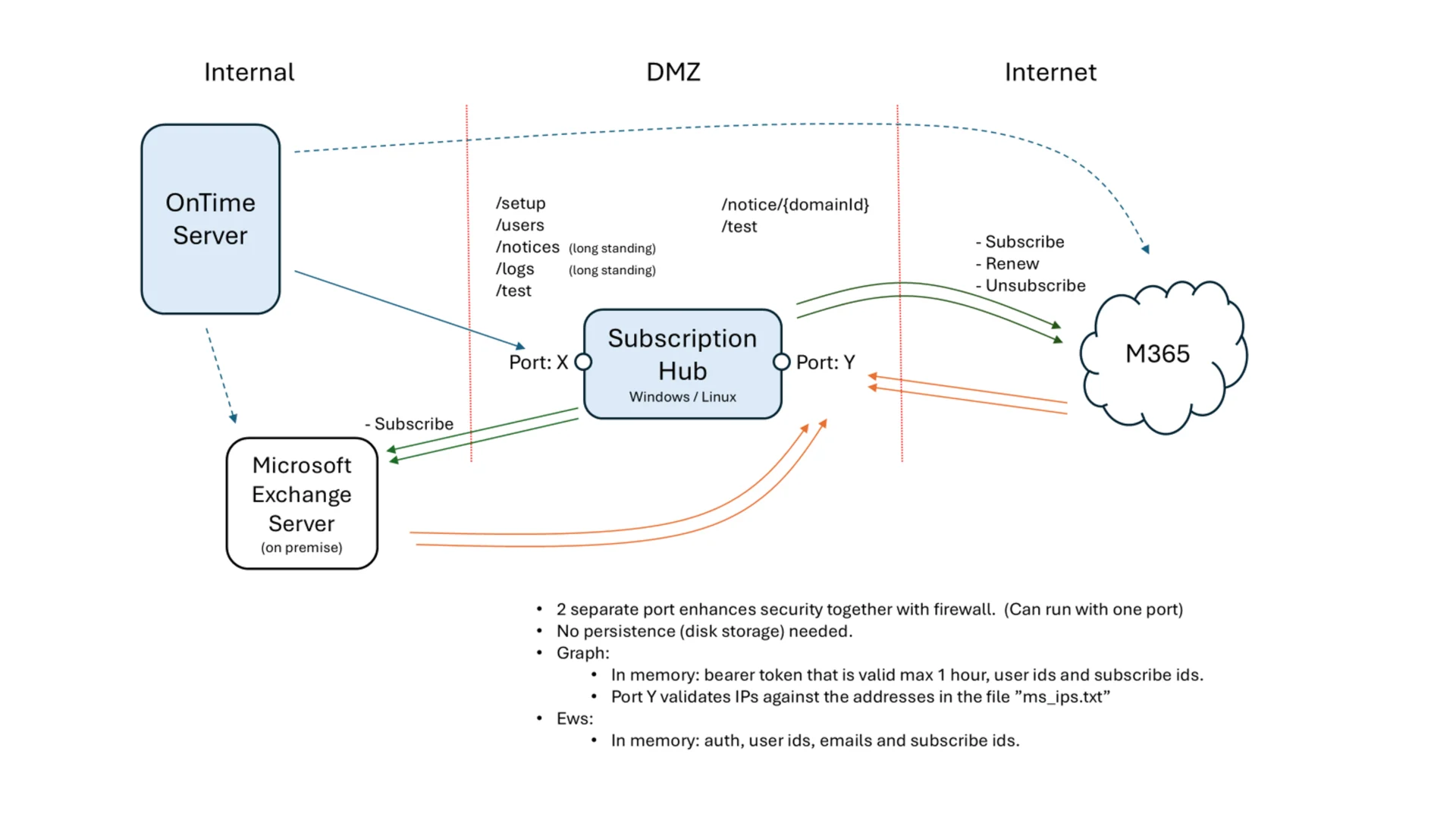
Microsoft Graph API provides a modern notification mechanism that has several advantages over EWS Streaming Subscriptions:
- Doesn't requires a persistent connection for each subscription
- Can handle many subscriptions efficiently with retry policies and batching.
- Supports subscription expiration and renewal, typically up to 60 minutes for high-security scenarios.
Subscription Hub is an HTTP-based callback API that receives change notifications from Microsoft Graph, handles subscriptions life-cycle and prepares needed data for OnTime Server.
While the EWS Streaming subscription method is still supported we encourage our user organisations to start switching to the OnTime Subscription Hub.
Fixed an issue where users lost keyboard shortcuts after deleting an event.
Enhanced logging for group synchronization with the new Graph Directory Sync.
Fixed a design issue affecting the display of multiple conflicts.
ONTIME BACKEND
Changed export from list view to contain chair and chair email. Removed rooms and resources.
Branding makes it possible to control the background, text and border colour of the top navigation bar and further allows you to add a custom logo. You can control this for internal use which covers the Desktop client and for the external facing clients Pollarity. For the external facing client you can also add up to five links for the users from the branding area. Branding can either be controlled from "Global Frontend" at the organisational level or from each configuration of "Default Settings".
In addition to the specific issues mentioned below, we have fixed some minor stability issues.
In addition to the specific issues mentioned below, we have fixed some minor stability issues.
In addition to the specific bugs mentioned below, we have fixed some minor stability issues and other minor bugs.
In addition to the specific bugs mentioned below, we have fixed some minor stability issues and other minor bugs.
In addition to the specific bugs mentioned below, we have fixed some minor stability issues and other minor bugs.
In addition to the specific bugs mentioned below, we have fixed some minor stability issues and other minor bugs.
In addition to the specific bugs mentioned below, we have fixed some minor stability issues and other minor bugs.
In addition to the specific bugs mentioned below, we have fixed some minor stability issues and other minor bugs.
https://ontime.example.com/ontimegcms/desktop?viewstart="2022-10-31"In addition to the specific bugs mentioned below, we have fixed some minor stability issues and other minor bugs.
In addition to the specific bugs mentioned below, we have fixed some minor stability issues and other minor bugs.
Most values below have been synchronised with the on-prem or the online AD but the Tags and the Video Device Name can now be added manually by the OnTime admin
When the automated replies option has been enabled this is visible on the Business Card as shown below.
In addition to the specific bugs mentioned below, we have fixed some minor stability issues and other minor bugs.
Hybrid Installations: Transitioning from EWS to Microsoft Graph
In many hybrid environments, it's common to include both Domino and Exchange users in the OnTime for Domino solution. Until now, OnTime has relied on the Exchange Web Services (EWS) API to support both Microsoft 365 and on-premises Exchange environments.
As Microsoft has announced the deprecation of EWS for Microsoft 365, we have re-engineered our Microsoft integration to fully support the Microsoft Graph API for M365 cloud environments. While the EWS-based integration remains available, we strongly recommend migrating to the Graph-based setup for enhanced capabilities and long-term compatibility.
The switch between EWS and Graph is handled through the configuration database. Although some setup is required, both options use the same codebase. Detailed guidance is available in the OnTime manual.
Microsoft Graph is now the preferred integration. It offers a modern REST-based architecture, improved security, and a more granular permissions model compared to EWS.
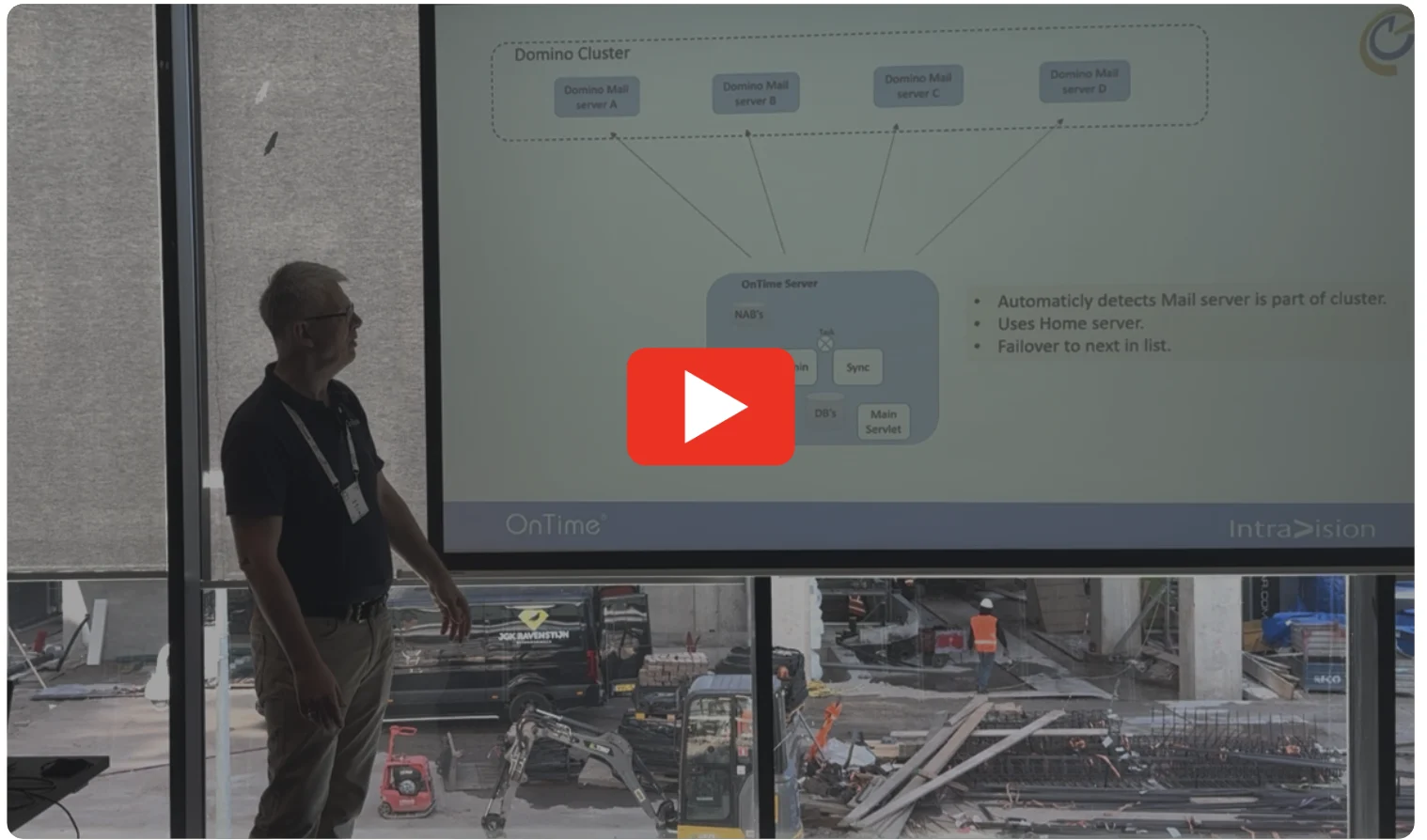
Scalable and Resilient Hybrid Topology with OnTime 11.7.x
At the recent ENGAGE conference, we hosted a session titled “Unlocking the Full Potential of OnTime: The Admin's Deep Dive Masterclass.”
This session highlighted advanced features and deployment topologies available in OnTime 11.7.x. We encourage you to watch the recording, as it covers several powerful features that are often underutilized.
If you're specifically interested in the hybrid setup, you can jump to the relevant section starting at the 21-minute mark of the presentation.
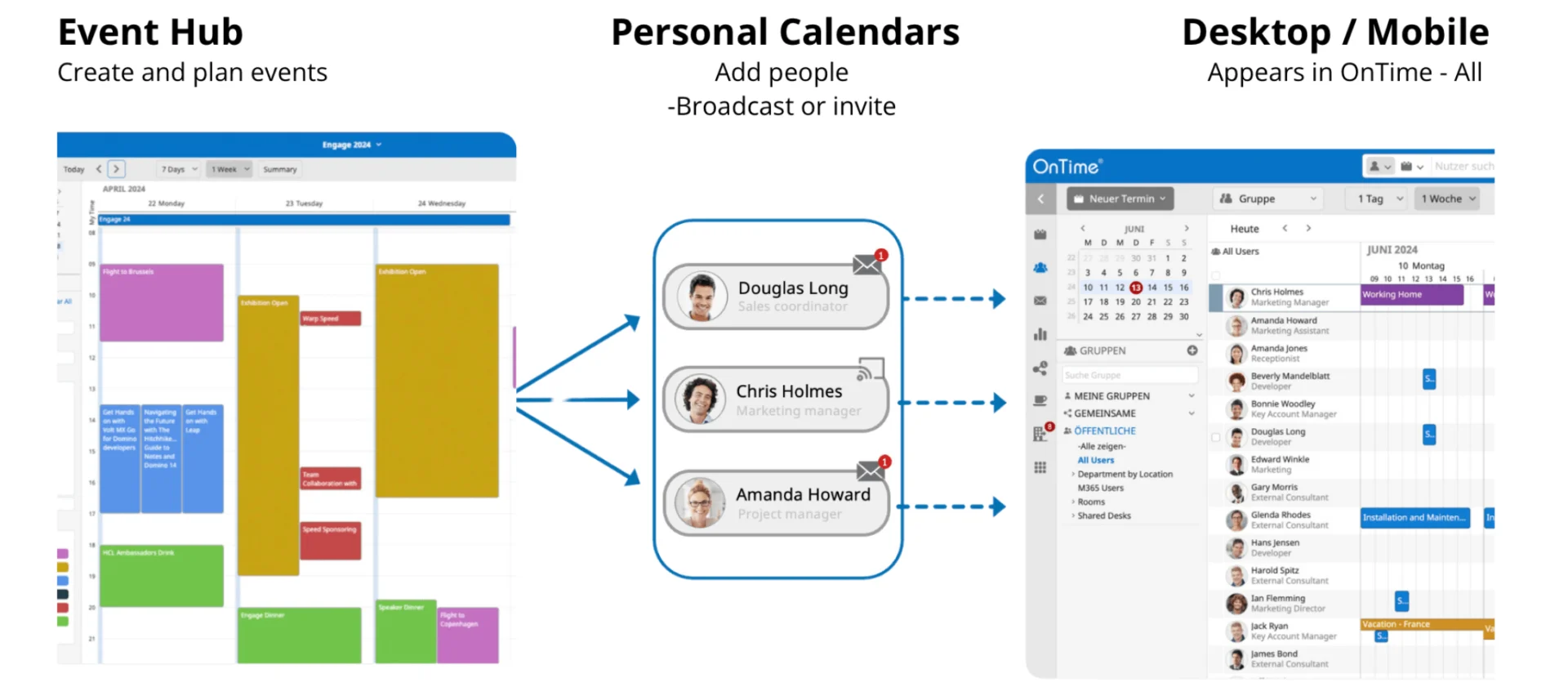
We’re excited to announce the arrival of the Event Hub in OnTime for Domino 11.5.0, a powerful new feature. The Event Hub is designed to simplify the way your organization handles corporate events, national holidays, trade shows, or any other events that you need to broadcast across your users' calendars.
With the Event Hub, you can effortlessly create, broadcast, and maintain events, ensuring that everyone in your organization stays informed and up-to-date. This highly flexible feature adapts to your specific needs, making it an essential tool for managing events in your daily work life.
To help you get started, we’ve included a video that showcases just a few of the many ways your organization can leverage the Event Hub.
Best of all, the Event Hub is included with your existing OnTime Core license, meaning all organizations with current OnTime for Domino maintenance can start using it right away—at no additional cost. If you have not gone Premium but are using the Freemium 2 license then most of the features in the new Event is included there as well.
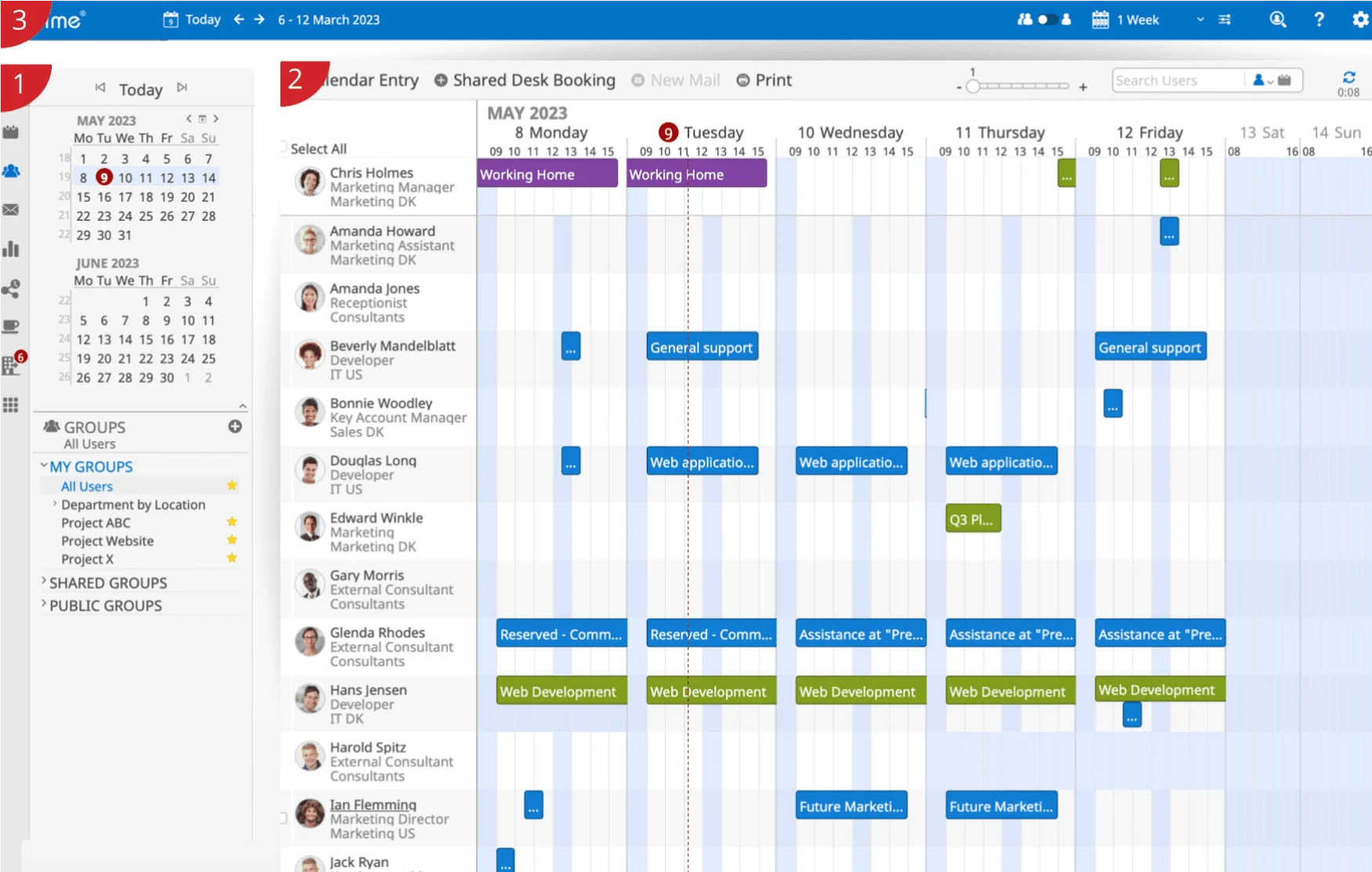
A walk towards Compliance with "The European Accessibility Act 2025": This release marks our first step towards compliance with EU Directive 2019/882, with a focus on accessibility features. Stay tuned for further enhancements as we work towards full compliance by June 2025. The new features will hopefully benefit all users. Some of the new features in this version are:
In addition to the specific issues mentioned below, we have fixed some minor stability issues.
In addition to the specific issues mentioned below, we have fixed some minor stability issues.
In addition to the specific issues mentioned below, we have fixed some minor stability issues.
In addition to the specific issues mentioned below, we have fixed some minor stability issues.
In addition to the specific issues mentioned below, we have fixed some minor stability issues.
In addition to the specific issues mentioned below, we have fixed some minor stability issues.
Share My Time is included in the licenses for all registered OnTime Group users and therefore you can start using it right after upgrading to version 11 og OnTime group calendar.
Share My Time allows users to grant external parties access to your calendar, allowing them to view your availability and schedule meetings with you without having to see your actual schedule. Eliminating the need for endless back-and-forth emails when trying to find a suitable meeting time.
Step 1: customise and distribute the link
Step 2: Recipient chooses a time
Step 3: Meeting confirmed
Share My Time will be available for all registered OnTime users, but with different features available depending on your commitment. You can read more about Share My Time and exactly which features you get: https://ontimesuite.com/en/domino/product/share-my-time
New 12 month calendar makes navigating event easier.
Branding makes it possible to control the background, text and border colour of the top navigation bar and further allows you to add a custom logo. You can control this for internal use which covers the Desktop client and for the external facing clients Pollarity and Share My Time. For the external facing client you can also add up to five links for the users from the branding area. Branding can either be controlled from "Global Settings" at the organisational level or from each configuration of "Default Settings".
In addition to the specific issues mentioned below, we have fixed some minor stability issues.
In addition to the specific issues mentioned below, we have fixed some minor stability issues.
In addition to the specific issues mentioned below, we have fixed some minor stability issues.
In addition to the specific issues mentioned below, we have fixed some minor stability issues.
In addition to the specific issues mentioned below, we have fixed some minor stability issues.
In addition to the specific issues mentioned below, we have fixed some minor stability issues.
"view" "days" | "weeks" | "ooo" | "list" | "day" | "week"
"starthour" 0 - 23
"endhour" 1 - 24
"offhours" true | false
"weekends" true | false
"rowheight" 1-9
In addition to the specific issues mentioned below, we have fixed some minor stability issues.
Fixed a login issue for users who have either been soft deleted or disabled.
In addition to the specific issues mentioned below, we have fixed some minor stability issues.
Fixed a bug where loading the OnTime Profiles widget would fail for users not in OnTime.
Display Selection Menu Error: Resolved a regression issue where typing in the password field within the display selection menu caused an error to be thrown.
Missing Event Titles for Multi-Room Bookings (Microsoft Only): Fixed an issue in the Microsoft version of OnTime where, if an event was booked across multiple rooms, the event title was sometimes only shown for the first room listed
The new version includes:
The optional check-in feature: If no one checks in within the set timeframe, the room is automatically released - freeing it up for colleagues who actually need it. No more no-shows, just smarter use of your resources.
QR code functionality: We have added a QR code function on the displays allowing you to scan it with your OnTime mobile to go directly to that room to make a quick booking, reserve it for later, or add a meeting subject, offering even greater flexibility in how you manage your rooms.
Improved room overview in OnTime mobil: The updated mobile client now works seamlessly with your room displays, providing a clearer overview of available and occupied meeting rooms and much more.

This version accumulates all minor changes and improvements since version 1.0.0. Moving forward the release notes will follow each sub release.
The Initial Release of OnTime Room Display
Room Display offers a convenient solution to seamlessly manage meeting rooms and conference areas. With Room Display, you can effortlessly cross-check, book, and monitor the availability of meeting spaces, whether you’re using your OnTime client or directly interacting with the display itself.
The straightforward and intuitive nature of the OnTime Room Display inevitably leads to a noticeable increase in meeting room utilization.
https://youtu.be/hA66ZHelEBU
We’re here to help! Please fill out the form below, and we’ll get back to you as soon as possible — typically within 1–3 business days.
By submitting this form, you agree that your information will be stored securely and only used to respond to your inquiry in accordance with our Privacy Policy. We do not share your personal data with third parties without your consent.
Thank you for reaching out!
The OnTime Team