
The Event Hub offers centralised control over all corporate events and holidays across departments. You can create and organize events in dedicated calendars for various occasions or departments. Once an event is planned, you can invite participants, add people using broadcast, or allow self sign-ups, making the entire process simple and clear.
The Event Hub ensures you always have clear answers to the “who,” “what,” and “when” for every event.

Based on what customers tell us, these are the improvements teams experience with the Event Hub

Event Hub gives you a complete, up-to-date overview of all events. Everyone can clearly see what’s happening, when it happens, and who it’s for — without guessing or asking around.

Decide exactly how people join events. You can invite specific participants, broadcast mandatory events, or let people sign up themselves — all from the same place.

When something changes, you update it once. Event Hub makes sure the right people see the update automatically, without follow-up emails or manual reminders.

Create and organise your events in one place before sharing them. That way, people only see clear, final information — not drafts, changes, or half-finished plans.
You’re planning a company event, training session, or corporate holiday. Normally, details live in documents, emails, and calendars — and every change means another message, another update, another follow-up.
Instead, you plan everything in Event Hub first. Once it’s ready, you share it with the right people in one go. Everyone sees the same, final information — and updates are handled automatically.
No scattered details. No confusion about what’s happening. Just clear event planning and communication, all from one central place.

The invite function allows the event manager to send event invitations to the selected participants. Recipients can accept or decline the invitation, and upon acceptance, the event is added to their calendar.
The broadcast function allows the event manager to instantly broadcast all relevant event details and updates directly into the chosen participants´ calendars in a single push.
The self sign-up function allows OnTime users to view available events and independently register for those they find relevant, streamlining the registration process, especially for larger or open events.
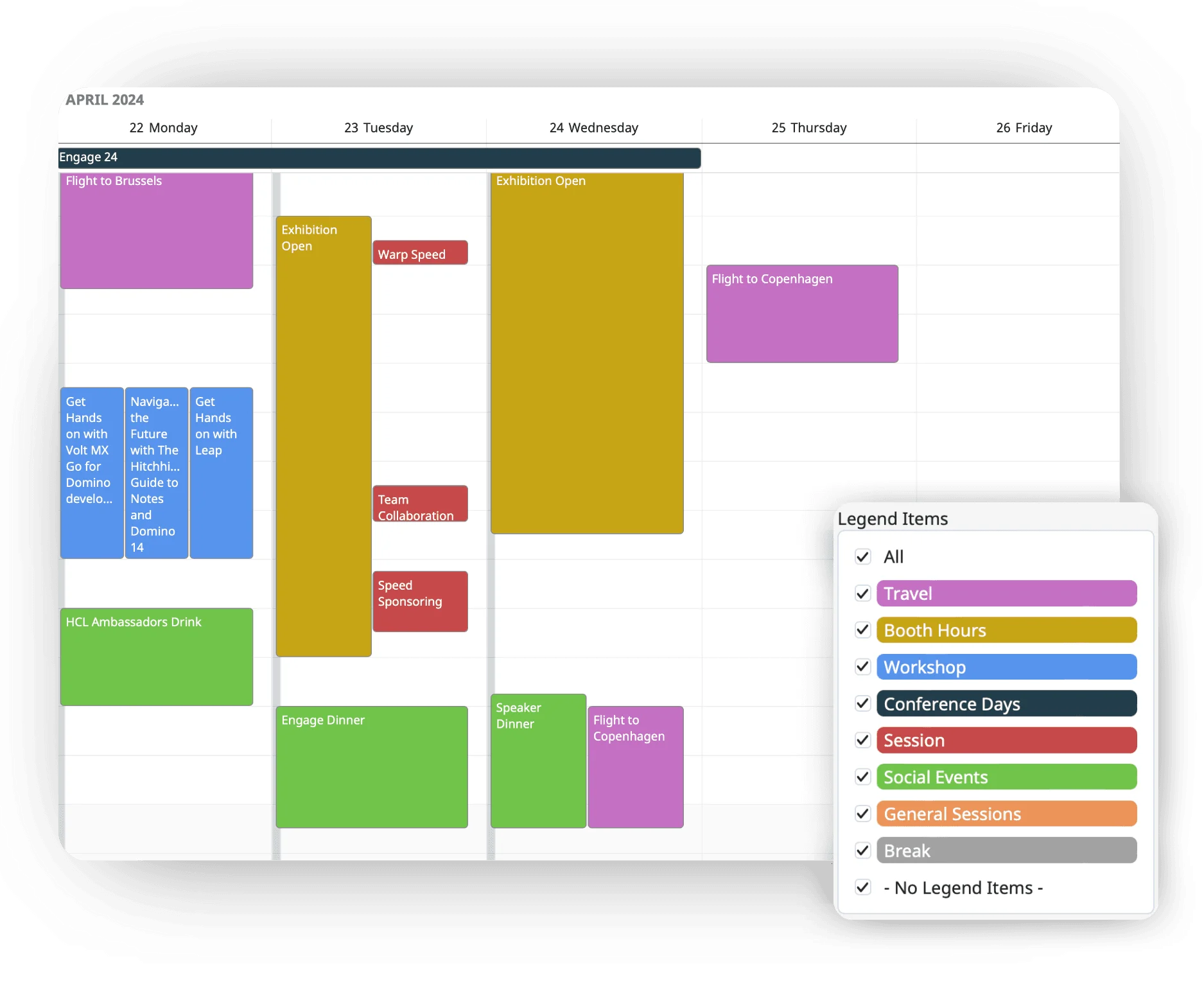
Event Hub brings conference planning into one place. Create and organise sessions, manage attendance, and coordinate across time zones with ease. Send broadcast updates to required participants or invite people to optional events and let them choose. The result is simpler, more efficient conference planning.
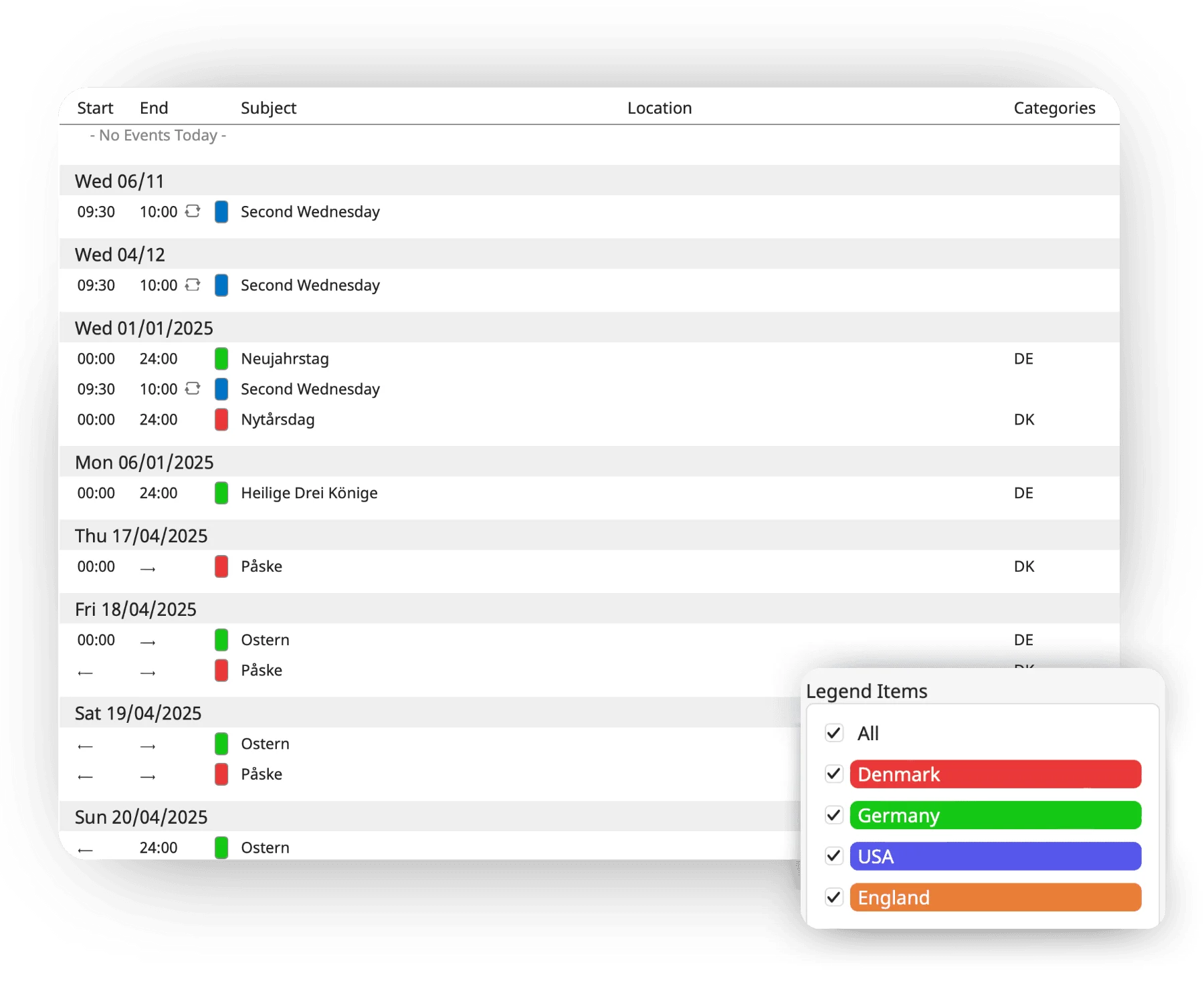
Event Hub lets you manage corporate holidays for multiple countries in one place. Set country-specific holidays so teams only see what applies to them, even across time zones. Use broadcast updates to inform employees about upcoming holidays and keep everyone aligned.
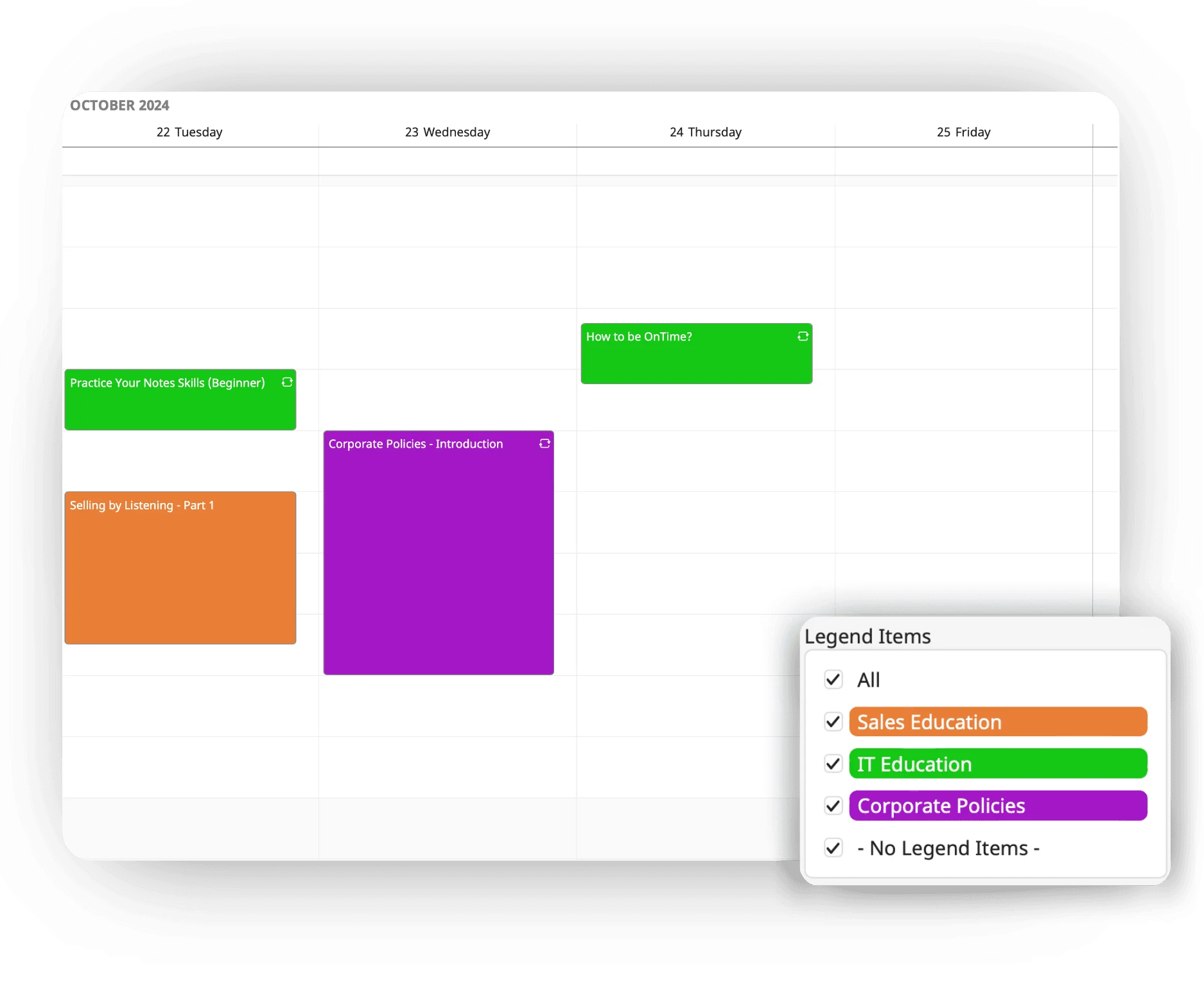
Event Hub makes it easy to manage educational events. Organisers can schedule sessions, let participants sign up for the courses that fit them, or broadcast details to required attendees. Participants can easily choose relevant sessions, while organisers keep track of attendance.
Try a demo right now and experience how OnTime Event Hub works — explore calendars, booking, and features directly in your browser.
Event Hub supports all kinds of events, including conferences, workshops, training sessions, internal meetings, and corporate holidays.
Yes. It’s designed to support multiple locations, time zones, and audiences without adding extra complexity.
We’re here to help! Please fill out the form below, and we’ll get back to you as soon as possible — typically within 1–3 business days.
By submitting this form, you agree that your information will be stored securely and only used to respond to your inquiry in accordance with our Privacy Policy. We do not share your personal data with third parties without your consent.
Thank you for reaching out!
The OnTime Team