
OnTime integrates directly into Microsoft Teams, bringing powerful group scheduling into the place where your team already collaborates. The result is a smooth, intuitive scheduling experience without switching tools.
OnTime for Microsoft Teams is ideal for organisations that want to simplify scheduling and improve collaboration — all within the familiar Teams interface.
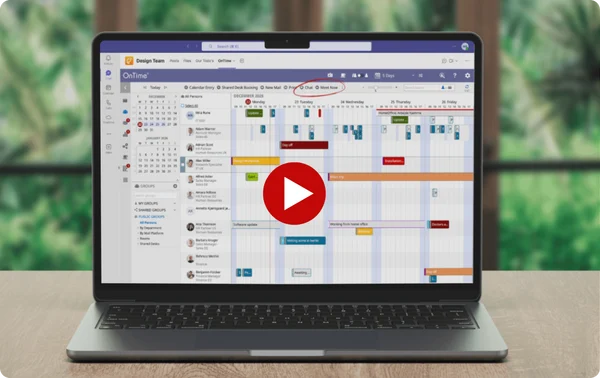
Based on what customers tell us, these are the improvements teams experience with OnTime within their Teams client.

When everything happens in Microsoft Teams, scheduling should too. With OnTime, you handle meetings without breaking your flow or jumping between tools.

Encourages team collaboration by simplifying the process of finding suitable meeting times for all members, reducing the time spent on coordinating schedules.

Provides a clear overview of team members’ availability, with multiple views and filters that adapt to individual preferences and team needs.

Easily find and schedule meetings with the right teams, groups, or colleagues. OnTime helps you bring the right people together from the start, without manual coordination
You’re in a Teams meeting, deep in a conversation, when someone says, “Let’s set up a meeting.” Normally, that means opening another app, checking calendars, and going back and forth to find a time that works.
Instead, you open OnTime right inside Teams. You instantly see who’s available, spot a time that works for the right people, and book the meeting without leaving the chat or breaking your flow.
No switching tools. No guessing who’s free. No follow-up messages to coordinate.
Just scheduling that fits naturally into the way your team already works in Microsoft Teams.

Find and coordinate with anyone in your organisation without leaving your collaborative environment.
Just open your OnTime Group Calendar from the navigation sidebar to access all OnTime features — fully synced with your own and your colleagues’ Exchange calendars.
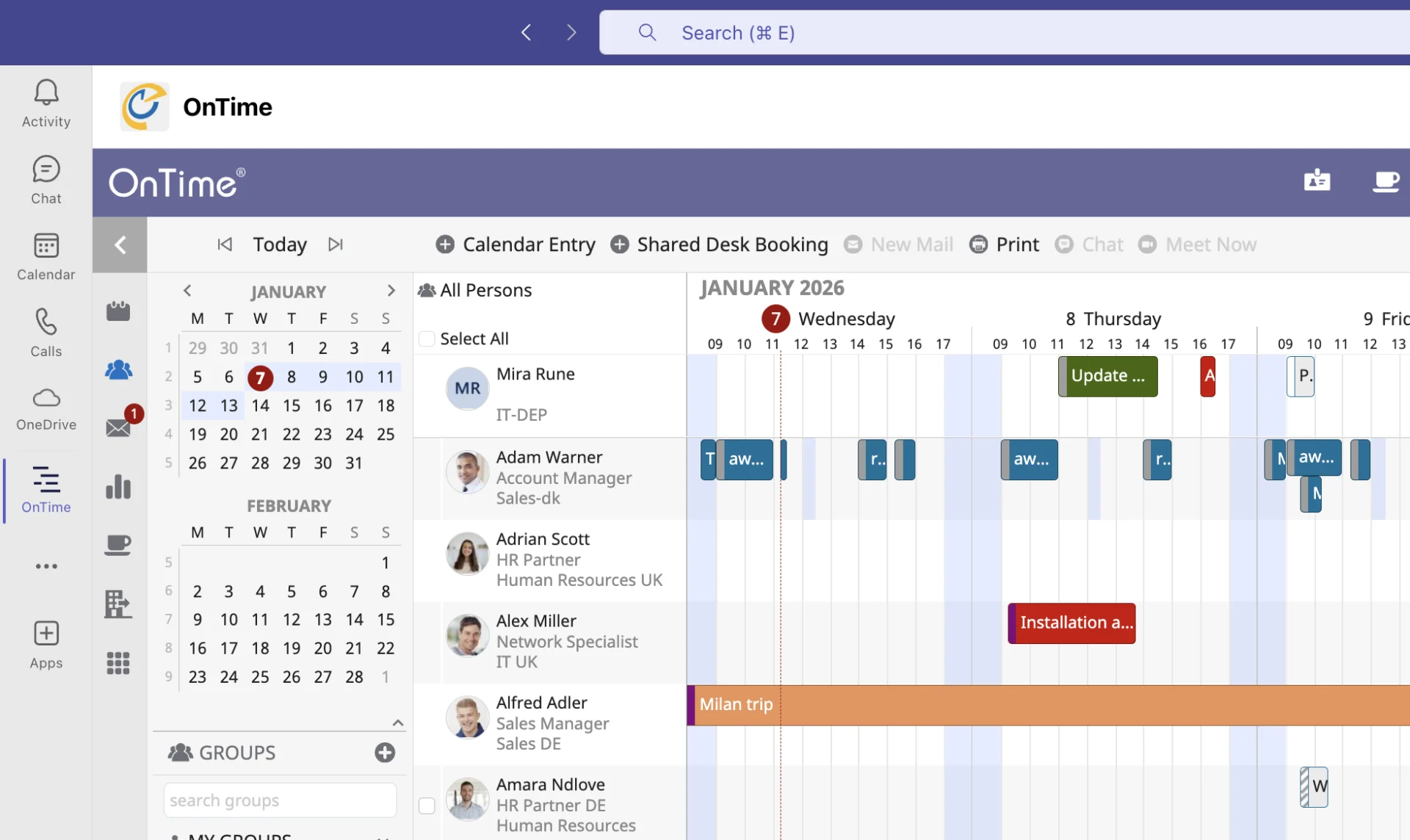
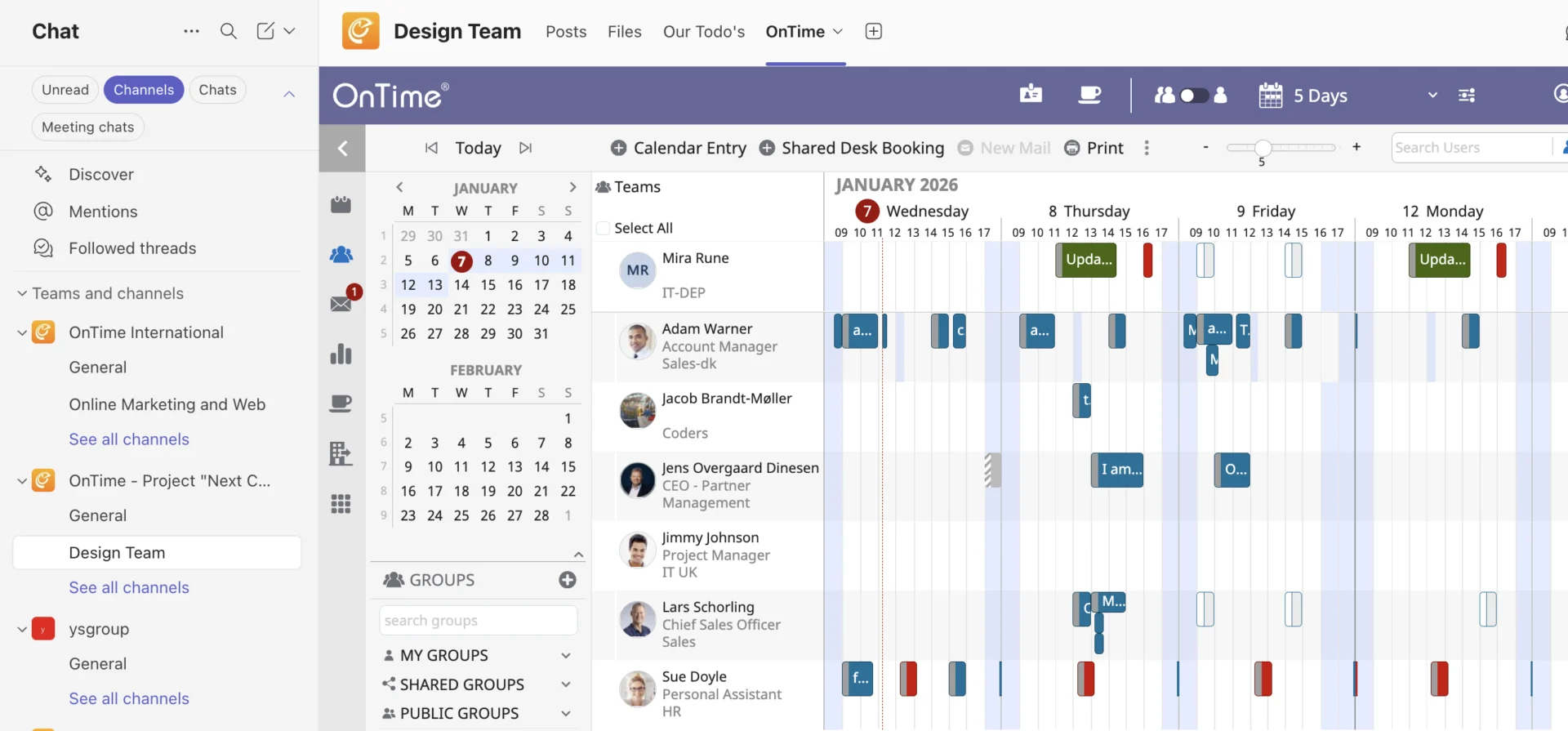
OnTime Group Calendar easily integrates directly within your Teams channels enhancing your collaborate skills within your team without any need of leaving your collaboration environment.
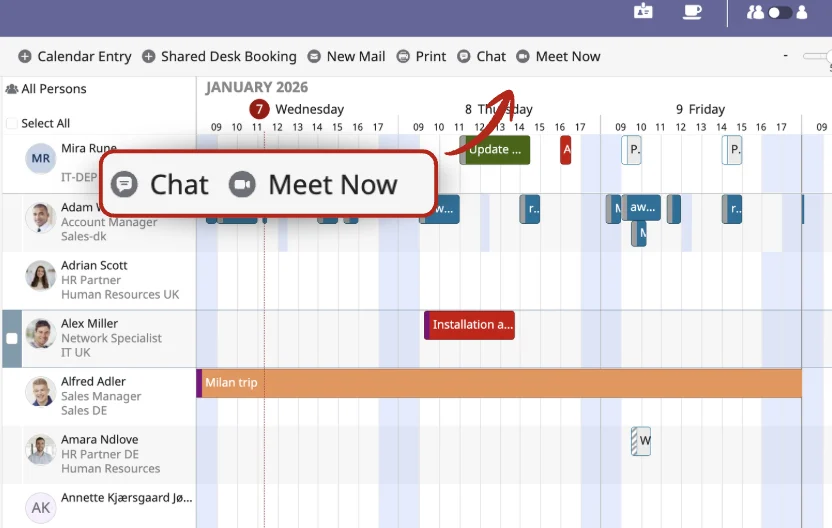
With the “Chat” and “Meet Now” buttons in the top menu, users can now open up chats and start instantaneous meetings with coworkers and colleagues with the click of a button.
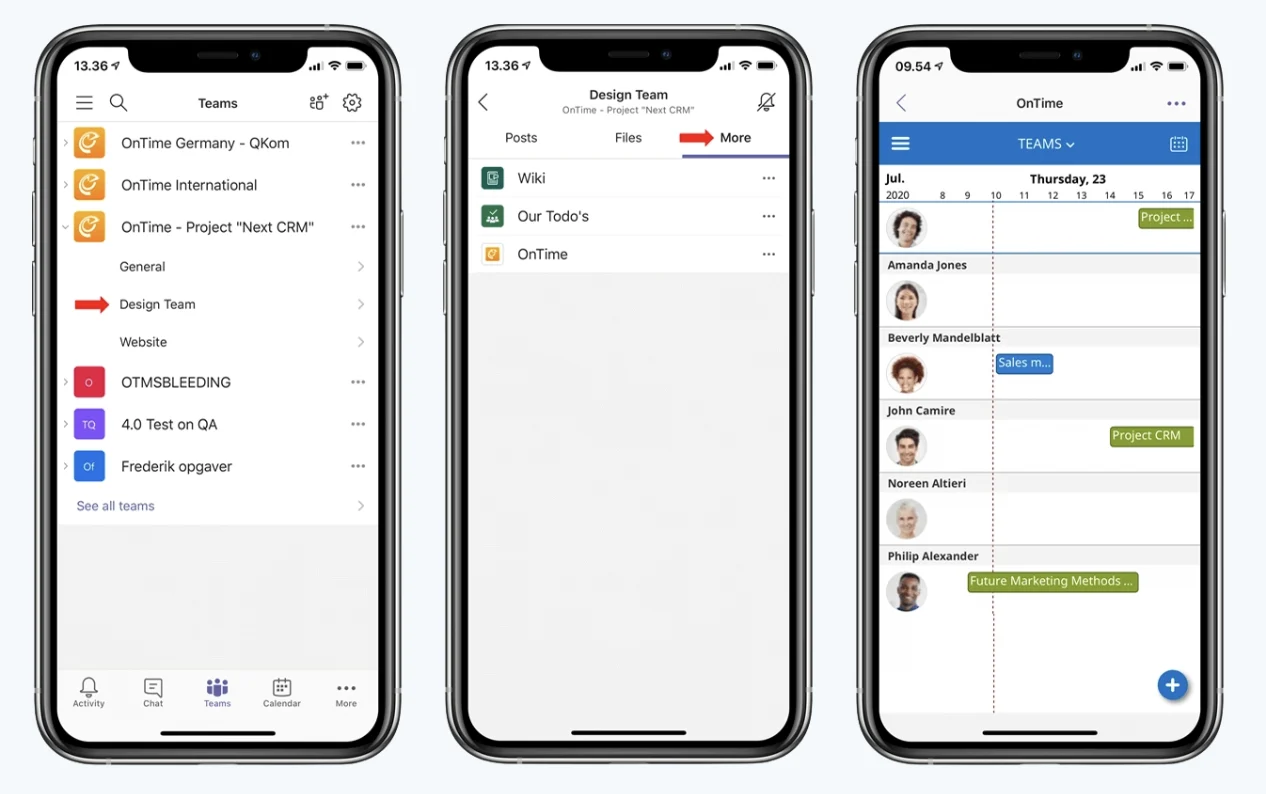
OnTime isn’t limited to the desktop — it also works in Microsoft Teams on mobile, so you can access your calendar wherever you are.
View your entire team, check individual calendars and contact details, and schedule meetings on the go, giving you more flexibility in your day-to-day work.
Try a demo right now and experience how OnTime within Teams works — explore calendars, booking, and features directly in your browser.
The OnTime Group Calendar can be installed within minutes, which is beneficial for teams looking for quick deployment without extensive technical support.
Yes. OnTime is self-maintaining and automatically updates to reflect changes in team composition, such as members joining or leaving. This reduces manual work and ensures calendars are always up to date.
We’re here to help! Please fill out the form below, and we’ll get back to you as soon as possible — typically within 1–3 business days.
By submitting this form, you agree that your information will be stored securely and only used to respond to your inquiry in accordance with our Privacy Policy. We do not share your personal data with third parties without your consent.
Thank you for reaching out!
The OnTime Team